
Exporting and sharing
An acquisition becomes more useful when an expert can examine it. This page explains how to hand one over safely. If you are the expert receiving it, read Analyzing with MVT.
What you are about to share #
An acquisition contains, among other things, personal data: system logs, the list of your installed apps, device settings, and more. Whoever can open it will see these things. Share it only with people or organizations you trust and only when you have decided you want them to see it.
Export or Share? #
Both buttons are in the Acquisition Details screen, and both produce the same thing: an encrypted file named like acquisition-1a2b3c4d.zip.age, protected by a passphrase that Bugbane generates at that moment.
- Export saves the file where you choose (your Downloads, a USB drive via the file picker, …). Use it when you want a copy, or when the handover happens later.
- Share streams the file directly to another app, such as Signal, email, or anything that accepts files. Use it when you are sending it to someone immediately.
Unlocking is required: the app asks for your screen lock (and the acquisition password, if you set one) before either action.
Handle the passphrase with care #
After you confirm, Bugbane shows the passphrase, 32 random characters, one single time, with a copy button.
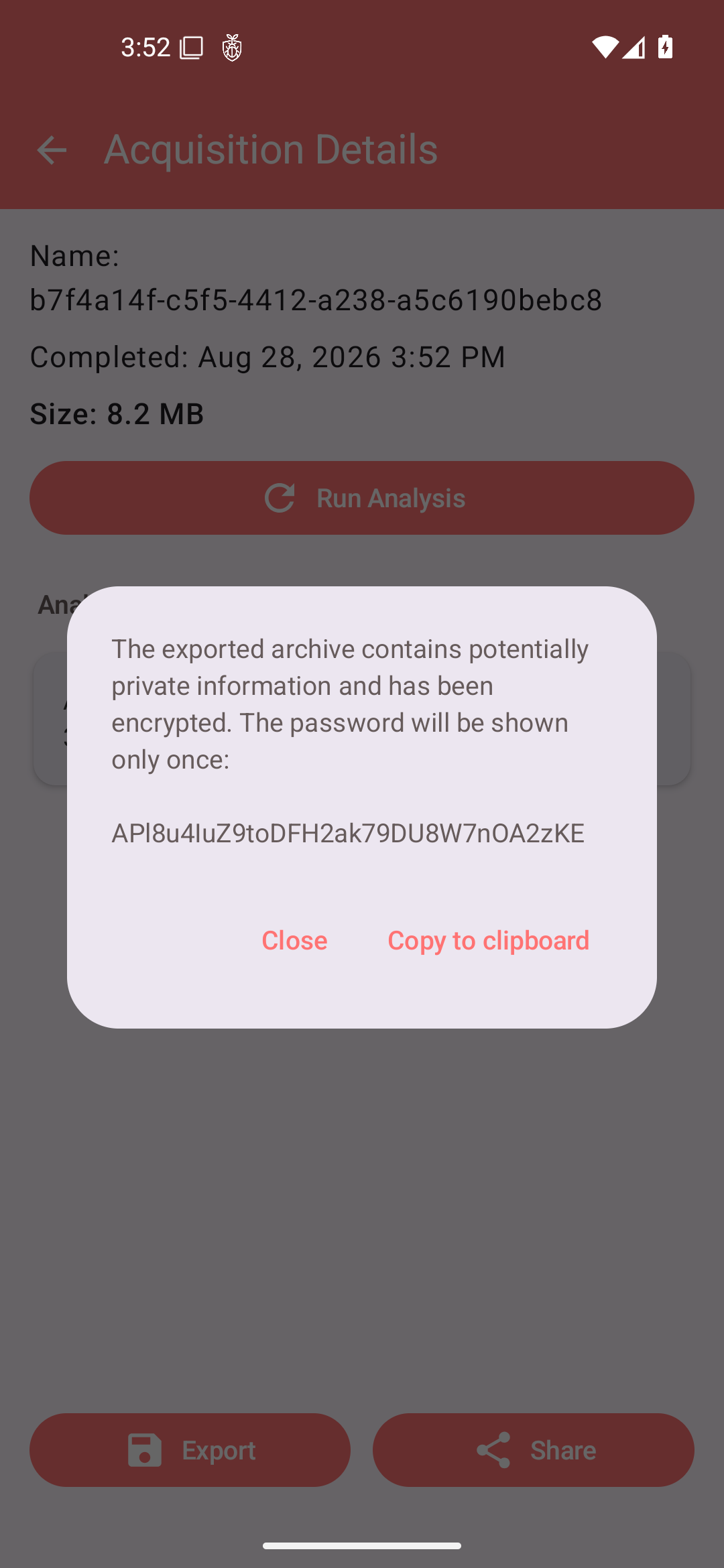
Three rules:
- Save it immediately, in a password manager or written somewhere safe. If you lose it, the exported file cannot be opened, and you would need to export again, getting a new file and a new passphrase.
- Send it through a different channel than the file. If the archive goes by email, the passphrase goes by Signal, or by phone, or in person. Whoever intercepts one should not have the other.
- Send it only to the person who must open the archive.
What the recipient needs #
Anyone with the passphrase can open the archive with the open source age tool; its content is then directly readable by MVT. Point your recipient to the Analyzing with MVT page: it contains the exact commands.